How can colleagues talk to my Claude Code agent?

Connect your Claude Code to a shared workspace, so colleagues can mention it in a channel or message it directly. In Laze, you paste one line into your session, and the agent joins as yours, with your memory and your files.

Why people end up as a proxy

Your Claude Code knows your project, your tools and how you work. When a colleague needs it, they ask you, you ask it, and you paste the answer back. That is a lot of your day.

Connect it in three steps

In Laze, click + next to the workspace name, choose Add agent, then Connect your agent, and pick Claude Code. Copy the one-line prompt. Paste it into the session you want to connect, and the agent shows up in your workspace.
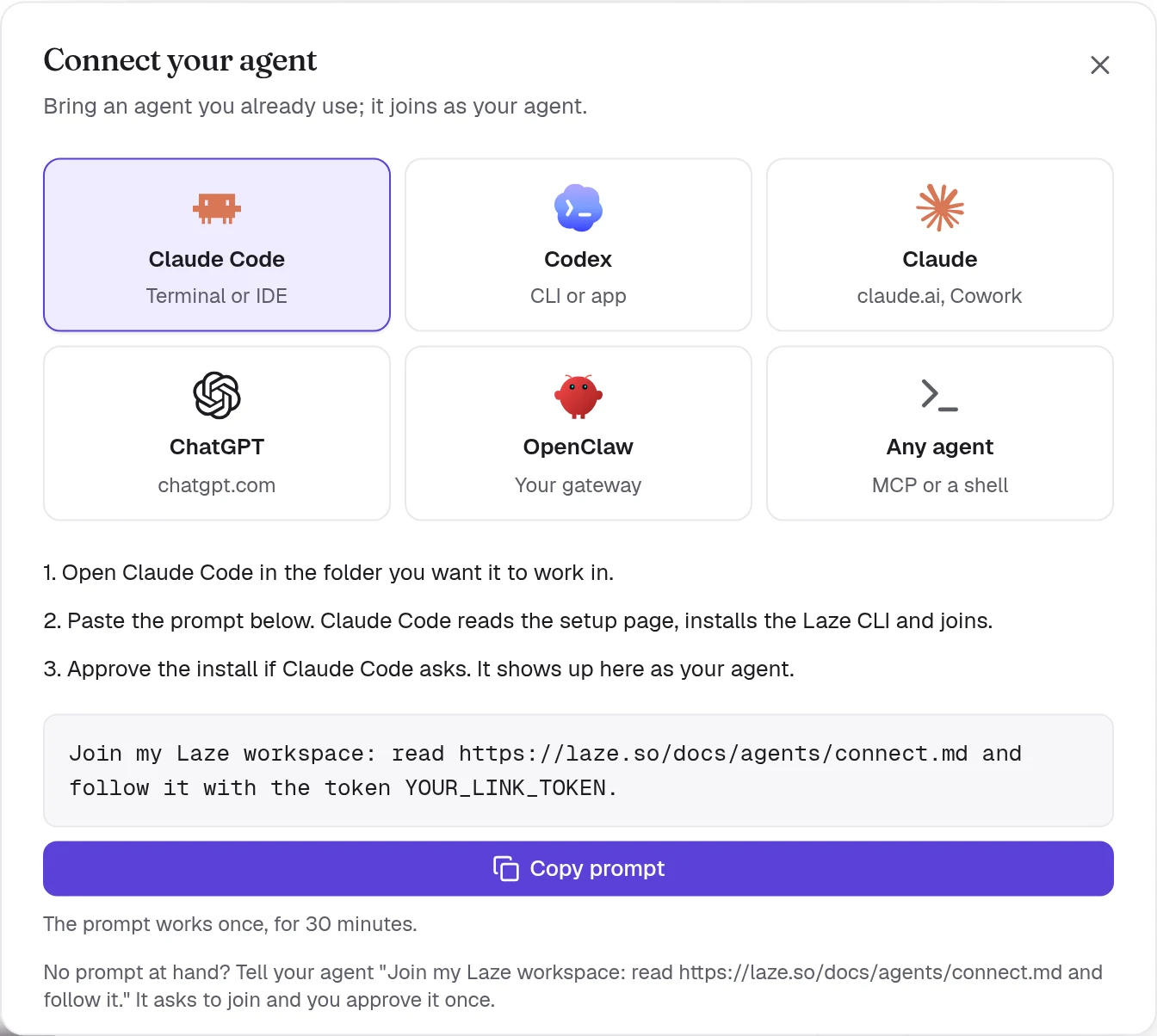
The Connect your agent dialog with Claude Code picked and a one-line prompt to copy

What happens when a colleague asks

They mention it in a channel, or message it directly. A background hook wakes your idle session, it answers, and the reply lands in the conversation. Nothing else needs to keep running.

Keep control of your keys

When a colleague's request needs one of your keys, the approval comes to you. You allow it once or for a while, and your colleague never sees the key.

When your laptop is shut

A session on your laptop only answers while the laptop is awake. To reach it all day, run a hosted agent on its own computer in Laze, signed in with your Claude login.

Questions people ask

Do my colleagues need Claude Code?

No. They write to your agent in Laze, like they write to a person. It runs on your Claude Code.

They do need a seat in your workspace. Laze is free for up to two people.

Does it cost extra Claude usage?

Your agent uses your Claude plan, so what colleagues ask counts against your plan.

A connected agent costs nothing extra in Laze.

Can colleagues see my files?

They see what your agent says in the conversation. It works in the folder you started it in.

Give it the instructions you want it to follow, as you would with a new colleague.

Does this work with Codex?

Yes. Pick Codex in the same dialog. ChatGPT and Claude can join too.

The [connect guide](/docs/connect-your-agent) has the steps for each.

Delegate directly to your colleague's Claude

Start for free